Navigation
App Structure
Section titled “App Structure”The app consists of several main sections accessible through the sidebar menu.
Sidebar Menu
Section titled “Sidebar Menu”On desktop, the menu is always visible on the left. On mobile, it opens by tapping the menu icon (three lines) in the top left corner.
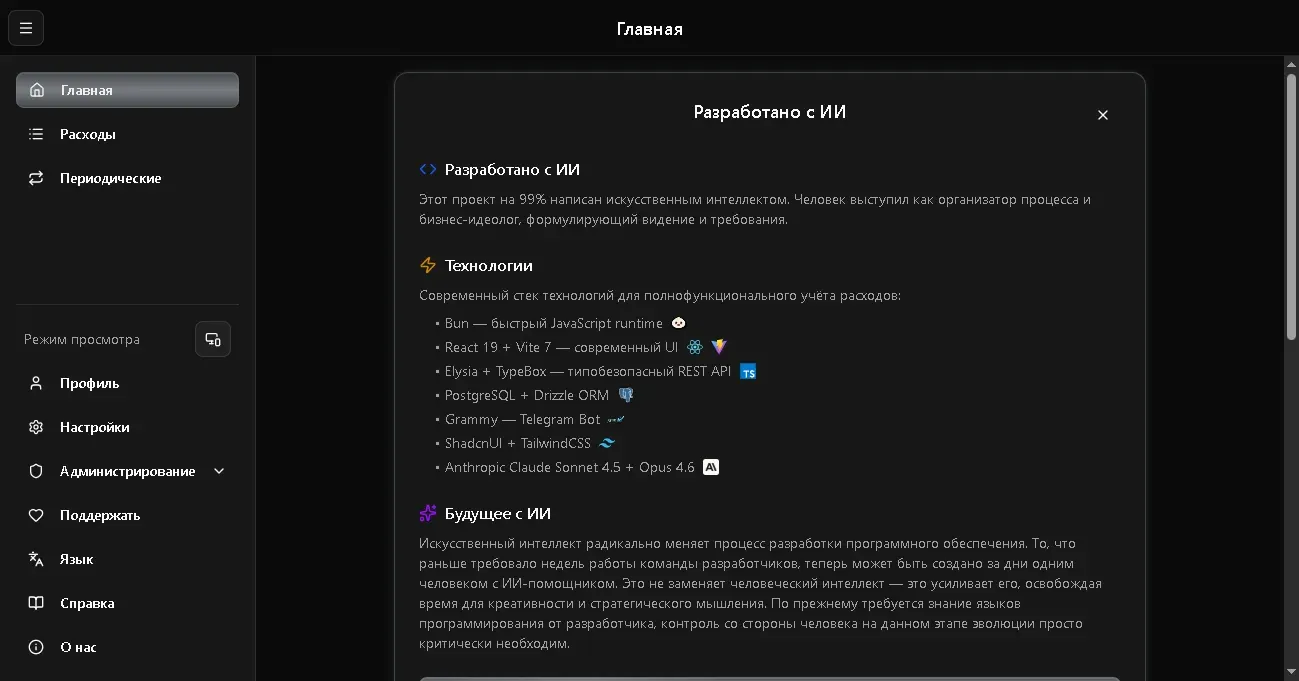
Main sections:
| Section | Description |
|---|---|
| Home | Welcome screen and general info |
| Expenses | List of all records, filters, charts |
| Recurring | Automatic recurring payments |
Settings and profile:
| Section | Description |
|---|---|
| Display Mode | Switch: auto / mobile / desktop |
| Profile | Your data and family budget |
| Settings | Language and theme |
| Subscription | Plan management and payment |
| Language | Quick switch Russian/English |
| Help | This documentation |
| About | Version, contacts, QR codes |
App Header
Section titled “App Header”At the top of the screen is the header with:
- Menu icon (on mobile) - opens the sidebar menu
- Page title - name of the current section
- Subscription indicator - warning if subscription has expired
Display Modes
Section titled “Display Modes”The app automatically adapts to your screen size, but you can switch the mode manually:
- Auto - the app determines the optimal view
- Mobile - compact view with cards
- Desktop - table view with extended features
The switch is located in the sidebar under “Display Mode”.
Read-Only Mode
Section titled “Read-Only Mode”If your subscription has expired, the app switches to read-only mode:
- You can view all your data
- Creating and editing records is unavailable
- A banner will appear at the top suggesting to renew your subscription
More about subscriptions: Subscriptions & Plans.